
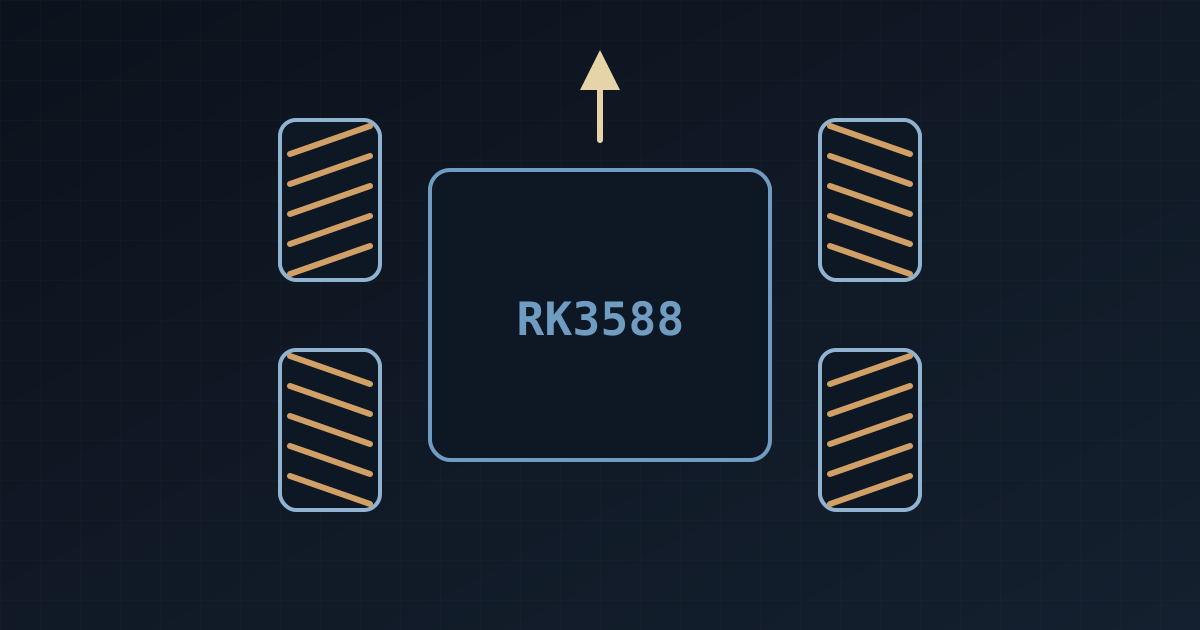
This project implements a four-wheel mecanum robot built on an RK3588 development board. Any device on the same WiFi network (phone, tablet or computer) can control the robot remotely through a web browser. The system integrates thermal-imaging temperature acquisition, six-axis IMU monitoring and real-time USB camera streaming, and the front-end page is adapted to mobile touch screens. The project is open-sourced on GitHub: Yu-Xiang-Yang/rk3588-multimodal-mecanum.
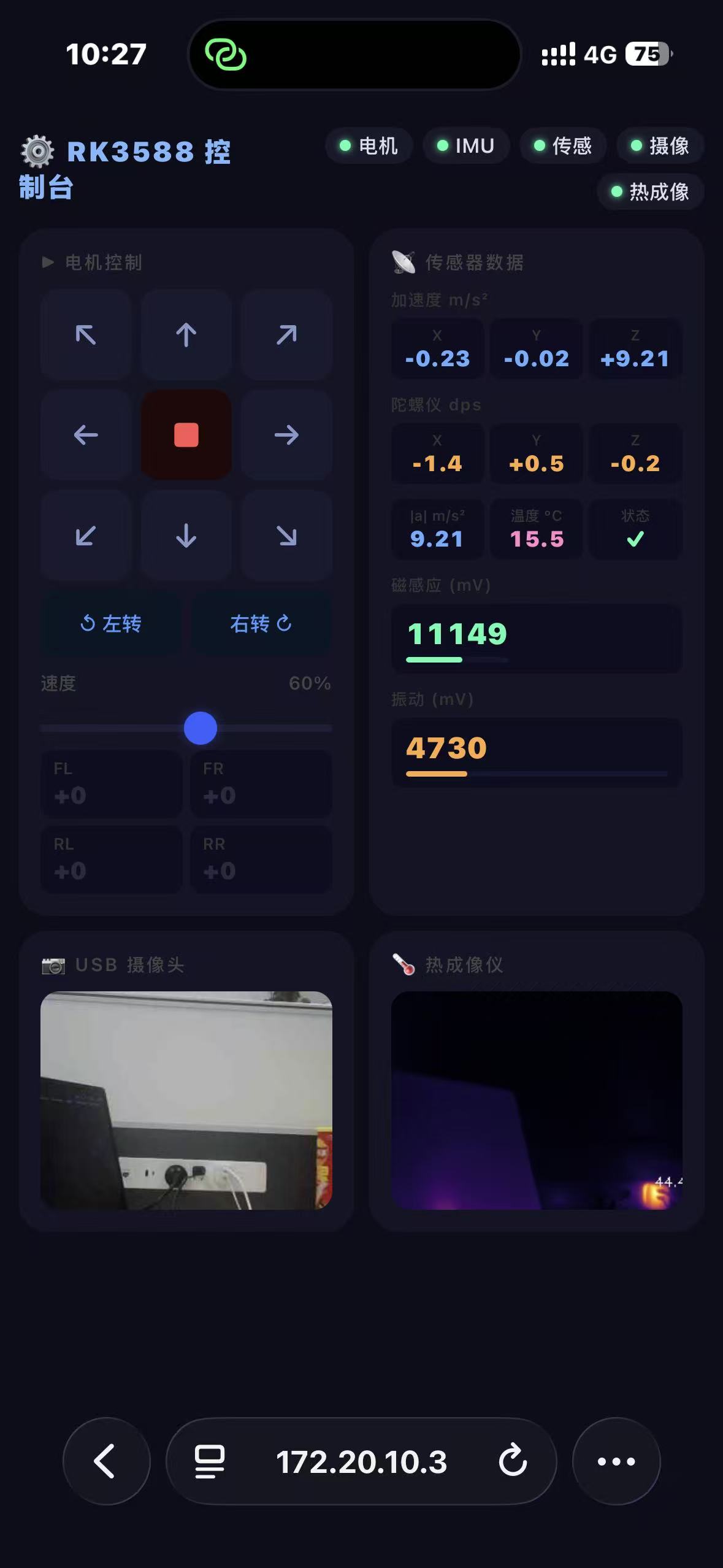
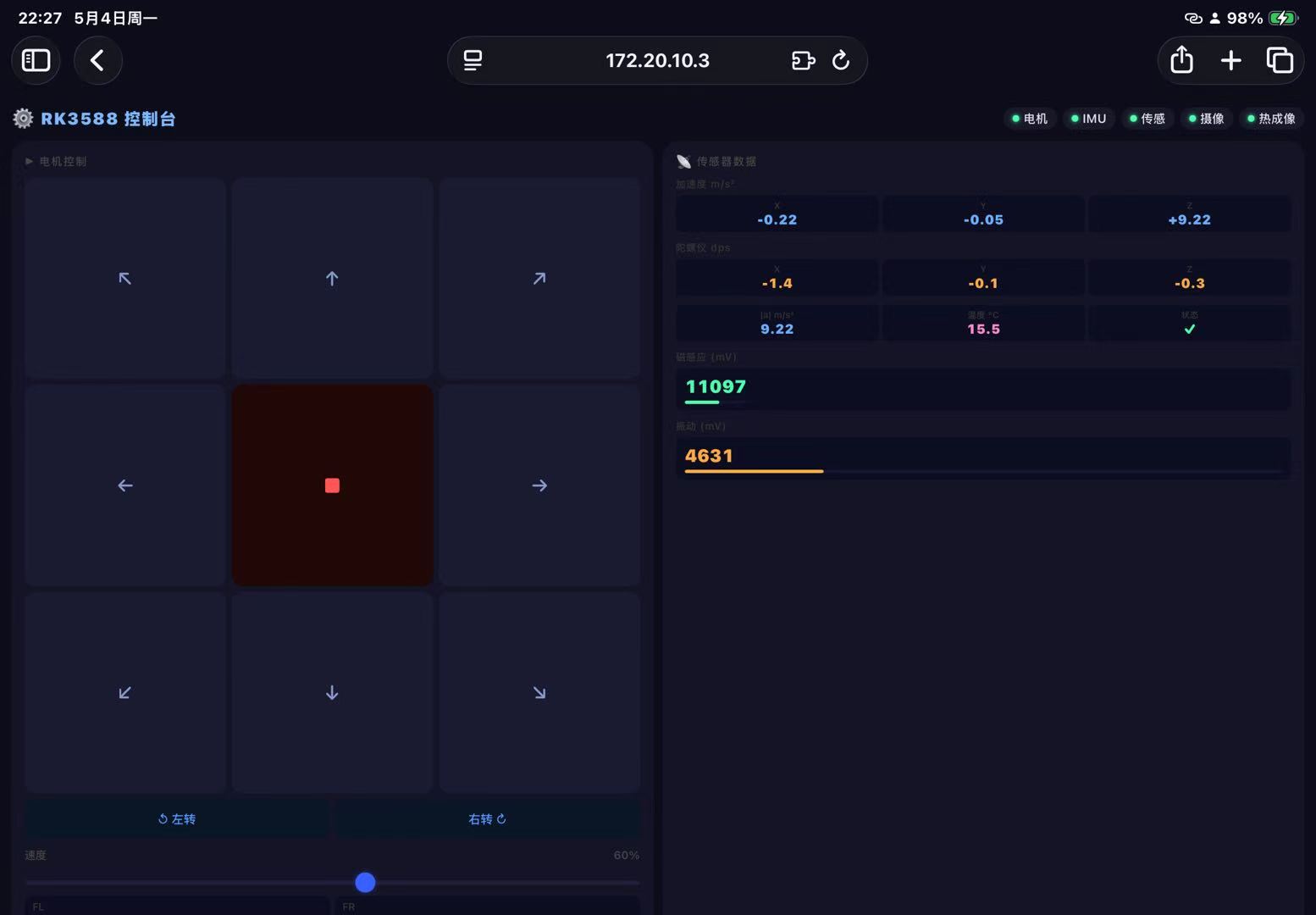
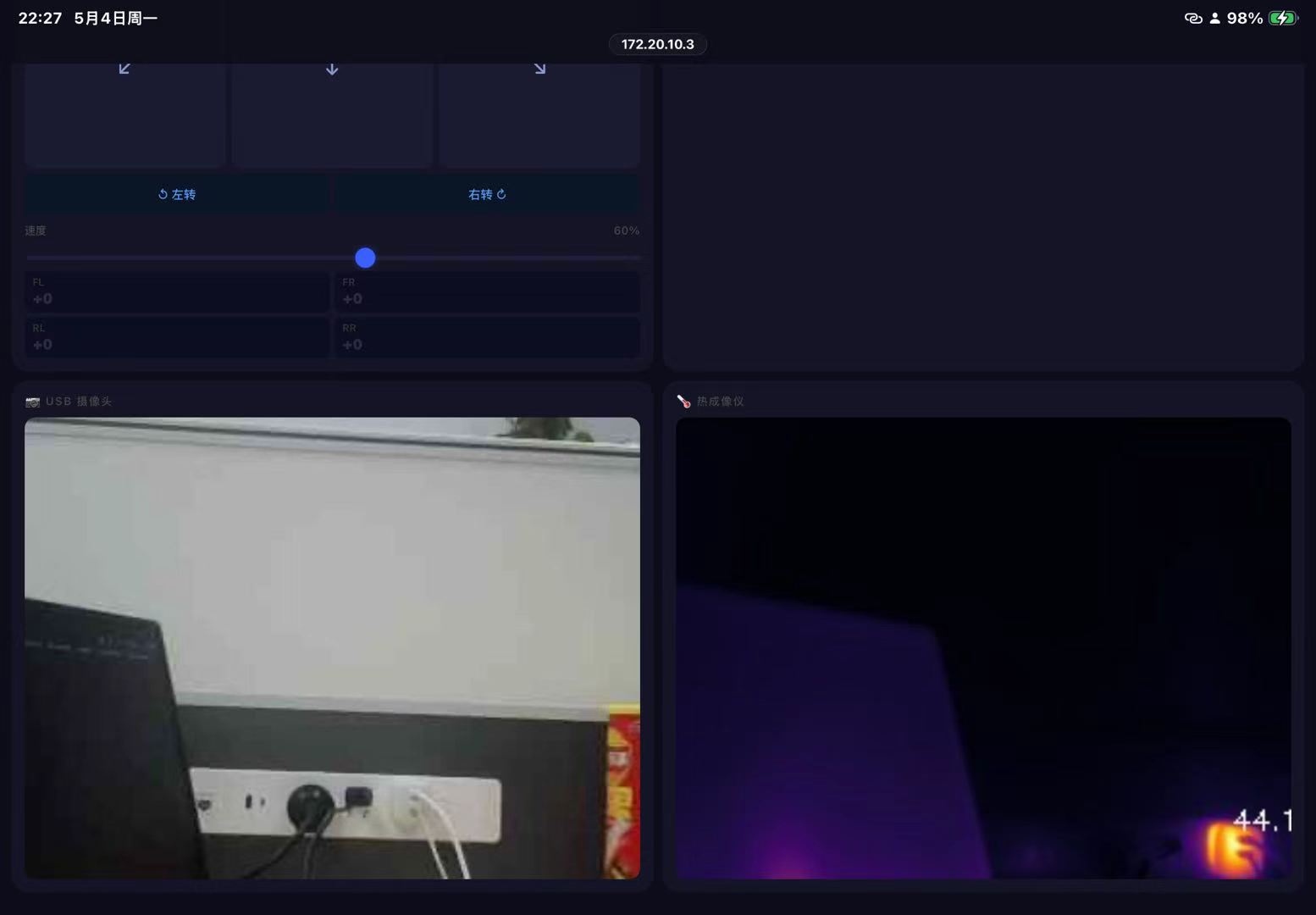
The page is adapted to mobile devices and is best viewed in portrait orientation.
1 Project Background
The original firmware of the WHEELTEC mecanum chassis exhibits a stop failure: the encoder feedback is constantly 0, the static variables of the incremental PI controller are never reset, and stop commands therefore have no effect. This project modifies the STM32 firmware to address the problem and builds a complete multimodal control system on the RK3588:
- Web-based remote control: HTTP + MJPEG streaming; the robot can be operated from any browser
- Embedded firmware fix: an emergency-stop flag is added to resolve the stop failure
- Thermal imaging acquisition: Hikvision HM-TD2028T-7, outputting a 256×192 temperature matrix
- Real-time IMU monitoring: on-board SH3001 six-axis sensor
- USB camera: real-time MJPEG video stream
2 Hardware List
| Device | Description |
|---|---|
| RK3588 development board | Runs the control service, ARM64 Linux (Buildroot) |
| WHEELTEC C12H main controller | STM32, drives the mecanum motors, connected to the RK3588 via USB |
| Mecanum chassis (D24A) | Four mecanum wheels |
| SH3001 six-axis IMU | On-board, I2C-4, address 0x36 |
| Hikvision HM-TD2028T-7 | Thermal camera, 256×192, connected to eth0 via Ethernet cable |
| Vibration + Hall sensors | /dev/ttyUSB0, 921600 baud |
| USB camera | /dev/video41 |
3 Network Architecture
WiFi hotspot (any hotspot; name and password are configured in start.py)
        │
        ├── 📱 Phone / tablet   → open http://RK3588_IP:8080 in a browser
        ├── 💻 Computer         → open http://RK3588_IP:8080 in a browser
        └── 🤖 RK3588          → runs the Flask control service :8080
                  │
                  ├── wlan0  joins the hotspot (control traffic)
                  └── eth0   192.168.1.100 (connected to the thermal camera)
                                    │
                                thermal camera 192.168.1.64
When an iPhone hotspot is used, the board IP is fixed at
172.20.10.3(the iPhone hotspot subnet is fixed); for other hotspots, the actually assigned IP applies.
4 Project Structure
rk3588-multimodal-mecanum/
├── README.md
├── host/                          ← run on the PC during first deployment
│   ├── start.py                   ← one-click launcher ★ (edit hotspot name/password)
│   ├── connect_wifi.py            ← reconnect WiFi separately
│   └── motor_web/                 ← services pushed to the RK3588 and run in the background
│       ├── server.py              ← Flask control server (main program)
│       └── daemon.py              ← daemon wrapper
│
├── firmware/                      ← complete STM32 Keil project (compiles directly)
│   ├── USER/Template.uvprojx      ← open with Keil μVision 5
│   ├── BALANCE/CONCTRL/
│   │   ├── conctrl.c              ← ★ modified: emergency-stop mechanism added
│   │   └── conctrl.h              ← ★ modified: exports the Emergency_Stop variable
│   ├── HAREWARE/                  ← peripheral drivers
│   ├── CORE/                      ← startup files
│   ├── STM32F10x_FWLib/           ← ST official standard peripheral library
│   └── SYSTEM/
│
├── thermal/                       ← thermal imaging acquisition (deployed to RK3588)
│   ├── thermal_save_local.py      ← main temperature-matrix acquisition script ★
│   ├── thermal_matrix_sdk.py      ← SDK snapshot + appended-data approach
│   ├── thermal_sdk_probe.py       ← data-format diagnostic tool
│   └── thermal_fps_test.c         ← frame-rate test in C (requires cross-compilation)
│
└── imu/                           ← IMU monitoring (deployed to RK3588)
    ├── sh3001_monitor.py          ← real-time SH3001 six-axis monitoring
    └── sh3001_calib.example.json  ← example calibration file
5 Quick Start
5.1 Configuring the WiFi Hotspot
The only configuration that must be modified in the entire project is the hotspot name and password, and it appears in only two files.
Open host/start.py and modify lines 18-19:
# host/start.py
SSID     = "Huawei 14 Pro 暗夜紫"   # ← replace with the hotspot name
PASSWORD = "00000000"               # ← replace with the hotspot password
Modify lines 18-19 of host/connect_wifi.py in the same way (used when reconnecting WiFi separately):
# host/connect_wifi.py
SSID     = "Huawei 14 Pro 暗夜紫"
PASSWORD = "00000000"
server.py,daemon.pyand all other files require no changes.
5.2 First Launch (Pushing the Service over USB)
Connect the RK3588 via USB, then run on the PC:
python host/start.pyThe script automatically performs the following steps:
- Detects the ADB USB connection
- Connects the RK3588 to the configured hotspot
- Pushes the control service to the board
- Starts the Flask server
- Opens the browser
The USB cable is required only for the first launch or when the service is updated; it can be unplugged afterwards.
5.3 Accessing the Control Page from Any Device
Any device on the same hotspot can open the following address directly in a browser:
http://172.20.10.3:8080| Device | Operation |
|---|---|
| 📱 iPhone / Android | Scan the QR code or enter the address in Safari / Chrome |
| 💻 Windows / Mac | Access directly in a browser |
| 📟 Tablet | Access directly in a browser |
6 Control Page Layout
The web page is adapted to mobile touch screens and uses a four-panel layout:
┌──────────────────┬──────────────────┐
│   ⚙ Motor Control│  📡 Sensor Data  │
│  ↖  ↑  ↗        │  Accel  Gyro     │
│  ←  ■  →        │  Mag    Vibration│
│  ↙  ↓  ↘        │                  │
├──────────────────┼──────────────────┤
│  📷 USB Camera   │   🌡 Thermal      │
│  Live MJPEG feed │  Pseudo-color map│
└──────────────────┴──────────────────┘
Motor control mode (tap to toggle):
- Tap a direction key once → the robot starts moving
- Tap the same key again / tap ■ → the robot stops
- To change direction, tap the new direction key directly
- The robot stops automatically when the page is moved to the background
7 Embedded Firmware (STM32)
7.1 Key Modification: Emergency-Stop Mechanism
Stop commands have no effect in the original WHEELTEC firmware. The core change is located in BALANCE/CONCTRL/conctrl.c:
// Global variable
u8 Emergency_Stop = 0;

// Inside TIM6_IRQHandler
if(Move_X == 0 && Move_Y == 0 && Move_Z == 0) {
    Emergency_Stop = 1;          // Trigger emergency stop
    smooth_control.VX = 0;
    smooth_control.VY = 0;
    smooth_control.VZ = 0;
} else {
    Emergency_Stop = 0;
    Drive_Motor(Move_X, Move_Y, Move_Z);
}

// One line added at the beginning of every Incremental_PI function
if(Emergency_Stop) { Pwm=0; Bias=0; Last_bias=0; return 0; }
7.2 Compiling and Flashing
- Open
firmware/USER/Template.uvprojxwith Keil μVision 5 - Press F7 to compile
- Flash
firmware/USER/OBJ/Template.hexwith FlyMcu- Before flashing: set BOOT0 to 1 and press the reset button
- After flashing: set BOOT0 back to 0 and press the reset button
7.3 Communication Protocol
The RK3588 sends 11-byte binary frames over USB-CDC (/dev/ttyACM0, 115200 baud):
7B 00 [Vx_H Vx_L] [Vy_H Vy_L] [Vz_H Vz_L] 00 [XOR] 7D

Vx = forward/backward velocity (mm/s, int16 big-endian)  range ±500
Vy = lateral translation (mm/s, int16 big-endian)        range ±500
Vz = rotational velocity (mm/s, int16 big-endian)        range ±1500
Mecanum kinematics (inverse solution):
$$
\begin{aligned}
FL &= V_y + V_x - V_z \
FR &= -V_y + V_x + V_z \
RL &= V_y + V_x + V_z \
RR &= -V_y + V_x - V_z
\end{aligned}
$$
8 Thermal Imaging (Hikvision HM-TD2028T-7)
8.1 Connection
Thermal camera ──Ethernet cable──▶ RK3588 eth0
IP: 192.168.1.64                   IP: 192.168.1.100
Username: admin
Password: hk159753
Requires an external 12V power supply (USB power is not permitted)
8.2 Acquisition Script
adb push thermal/thermal_save_local.py /userdata/hik_vision_project/

# First run (configures camera parameters)
adb shell python3 /userdata/hik_vision_project/thermal_save_local.py --config --bench

# Normal acquisition afterwards
adb shell python3 /userdata/hik_vision_project/thermal_save_local.py
Output (local to the RK3588):
/tmp/thermal/latest.npy     ← float32 matrix, 256×192, unit °C
/tmp/thermal/latest.json    ← max/min/mean/hotspot coordinates
Frame-rate upper limit: ~3 fps (a hardware limitation; the official documentation states “1-4 images per second; real-time frame rates cannot be achieved”)
9 Six-Axis IMU (SH3001)
adb push imu/sh3001_monitor.py /root/
adb shell python3 /root/sh3001_monitor.py # The first run performs zero-bias calibration| Field | Meaning | Notes |
|---|---|---|
ax/ay/az |
Acceleration (m/s²) | Includes gravity; az ≈ 9.8 at rest |
gx/gy/gz |
Angular velocity (dps) | Zero bias removed |
a_mag |
Acceleration magnitude | ≈ 9.8 at rest (i.e. g) |
10 Frequently Asked Questions
Q: How is the hotspot changed?
Only the two lines
SSIDandPASSWORDat the top ofhost/start.pyandhost/connect_wifi.pyneed to be changed.
Q: The page is not fully displayed when controlling from a phone
The page is adapted to mobile devices; landscape orientation gives a better result.
Q: The hotspot connection times out
Verify the hotspot name, which is case-sensitive; for a Chinese hotspot name, ensure the encoding is correct (copying and pasting the name is recommended).
Q: What is the IP of the RK3588?
start.pyprints it at runtime. For an iPhone hotspot it is fixed at172.20.10.3; for other hotspots, the printed value applies.
Q: The IP changed after switching hotspots; how is the connection made?
Re-run
python host/start.py; it prints the new IP and opens the browser.
Q: The motors do not stop
Confirm that the modified firmware (
firmware/BALANCE/CONCTRL/conctrl.c) has been flashed.
Q: The thermal image is not displayed
Check that: ① the Ethernet cable is plugged in; ② the thermal camera is powered by 12V; ③
adb shell ping 192.168.1.64succeeds
Q: Is USB required after updating the service?
Yes. After
server.pyis modified,python host/start.pymust be run once over USB to push the service again; the cable can be unplugged afterwards.
11 Technology Stack
| Layer | Technology |
|---|---|
| Control entry point | Any browser (phone/computer/tablet) |
| Transport protocol | HTTP + MJPEG streaming |
| Board OS | Buildroot Linux ARM64 |
| Control service | Python 3.10 + Flask |
| Embedded MCU | STM32F1 / Keil μVision 5 |
| Motor protocol | USB-CDC UART 115200, proprietary binary frames |
| IMU | I2C / SH3001 |
| Thermal imaging SDK | Hikvision HCNetSDK V6.1.9.45 ARM64 Linux |
12 Project Repository
GitHub: https://github.com/Yu-Xiang-Yang/rk3588-multimodal-mecanum
Related reading:
- One-Click Deployment of Python Applications on RK3588 with Autostart at Boot
- Tutorial on Connecting and Using a Camera with the RK3588 Edge-Computing Chip (in Chinese)
Stars and issues are welcome.